
Digitizing
Can you convert my old media?
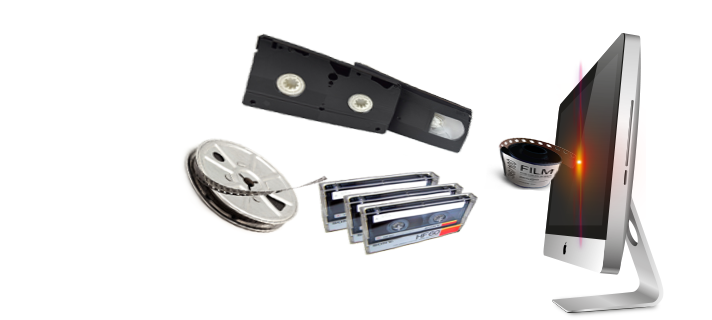
At the ITTC we understand that it is not always convenient to pull out the slide projector or drag the VCR caddy out of storage. Nevertheless, we don't want you to have to sacrifice this valuable information just because the media format is outdated. That's why we offer several options for converting older formats of media to new easier to use versions. We can even store your clips/ videos on our media server (see below) so that you can use them in your Blackboard classes just by posting a link! Once the student clicks the link, a new window opens and automatically plays your media file. It's that easy.
Below are just a few of the conversion services that we offer:
- VHS to DVD or storage onto the media server.
- Vinyl Records and cassette tapes to CD, MP3 format, or storage on the media server.
- CD's for storage on the media server.
- DVD's for storage on the media server.
- Carousel projector slides and photographs into digital format.
- We can also help and/ or teach you to edit and convert your video-taped lectures to DVD or you can store them on our media server for use in Blackboard or a public domain. (For security reasons, you must specify that you would like to use the media in a public domain.)
- We can also help you with PowerPoint Presentations.
- We can even show you how to narrate them if you would like.
We have a large faculty-only computer lab for your use which is also available for reservation.
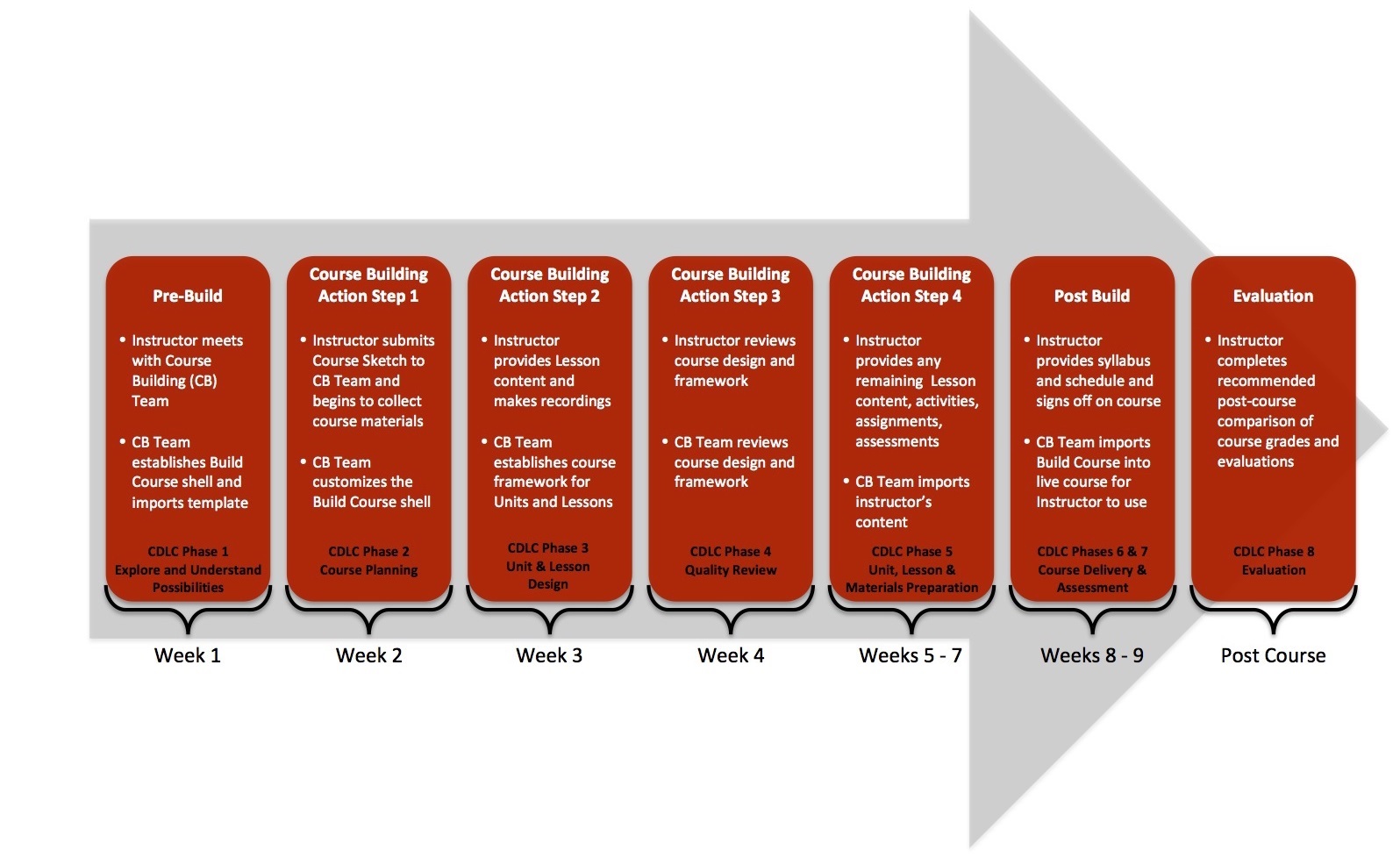
Course Building
Our focus is on working with learning and teaching technologies of all kinds. Our mission revolves around enabling our clients (faculty) to integrate and utilize technology as a tool that will enhance how they teach.
Website Design
Setting Up an Online Presence
The ITTC has been working closely with Information Technology Services to create various levels of web presence available to faculty. Three options have been developed that allow faculty to choose the appropriate level of use and most of all to provide choice as to how involved faculty want to be in creating their personalized web presence. The following descriptions provide short overviews of each option.
dotCMS
This option is a single web page administered and managed by your assigned department's content provider allowing for a short written self biography with an attached photo. The webpage can extend to add a second section for inserting your detailed vitae and several web links directing visitors to other content and/or pdf documents. This is a hands-off option for faculty allowing them to submit their content to their designated website content provider.
Faculty Web Sites using Google Sites EDU Edition
This option allows for faculty to get involved and to be creative with multiple pages containing media rich content such as photo galleries, videos, podcasts, blogs, and many other online Web 2.0 features. Creating and launching an AState Google Site can be done by individual faculty in less than one hour of self training and development combined. All ASU website guidelines for security and privacy rights and regulations are met and will be enforced under the AState/Google agreement. Click here for more information.
Dreamweaver Webspace
This option allows for faculty, departments, ASU programs, and/or ASU organizations seeking more technically robust website development to create a custom website. The same media rich Web 2.0 content such as mentioned above can be attained. Creating and launching a Dreamweaver Webspace is to be done by individual faculty and/or organization leaders. An eight hour training seminar is offered various times monthly at the ITTC with additional advanced sections on a periodic basis. Check the ITTC website for training dates and times.
Equipment Loans / Checkout
- Digital voice recorders and lapel microphones
- Digital cameras, camcorders, filtered lighting, and webcams
- iPods and docking stations
- Typewriter (not the latest technology but still useful in certain situations)
- PDF scanners and various computer software for presentations and editing
- Many others......
Videography
Our Multimedia Specialist will be recording and editing your introduction video for your online class(es). We are looking forward to working with you on the project.
Our goal is to aid you in the creation of a video that will serve its purpose with the highest quality that is within our means. To achieve this, we will have to schedule a time and location for the actual recording. Please email us with the time(s) and day(s) you are available to record. The location will be determined by the setup and background that’s chosen. More than likely, they will be recorded in the ITTC office. We are available Monday through Friday, 10am to 4pm. If there’s any time before 10am or after 4pm that works best for you, inform us of that and something can be arranged. Also, a script or outline should be prepared for the recording (script is best). We will provide you with a sample script if needed.
Content Guidelines
Personal Profile
Because your students won't have much, if any, in-person contact with you, this allows them to see you & know a bit about their instructor. The information doesn’t have to be too in-depth or too personal. It's just enough so the students won't feel like they’re being taught by a robot.
- Name & title/position
- Background (where you grew up, went to school, studied, things enjoy doing away from teaching, why you do what you do, etc.)
Class Introduction
You will inform the students of what you hope they get out of the class & what the class consists of. This, as is the first one, doesn't have to be too detailed. It should contain enough information for the student to not enter the online class blindly. Think of it as a ‘condensed video syllabus.’
- Class name
- Overview of what is to be learned (Information, concepts, skills, etc.)
- Overview of how the online class is structured
- Why this is important to the student
- Tips, if any, on how to effectively navigate through, learn from &/or pass the class.
Video Tips and Examples
Model your script as they have. We will only do two unless there is a need for a third. Each video will be three to five minutes long. When it comes to wardrobe, solid colors are best. Avoid tight patterns & thin stripes. Keep colors in contrast to the major color(s) of the location (i.e.: if the office is brown, don't wear brown). Also, red is good in moderation on video. We are all Red Wolves but the camera doesn't know that & would rather see us as the Pink Wolves. A list is linked below with more rules.
If you have any questions or comments, contact us. Our availability if fairly open but others that need videos may be limited. Scheduling is on a 'first come' basis. Please be fully prepared for the shoot when the time comes. Practice the script, your posture & plan your wardrobe.